

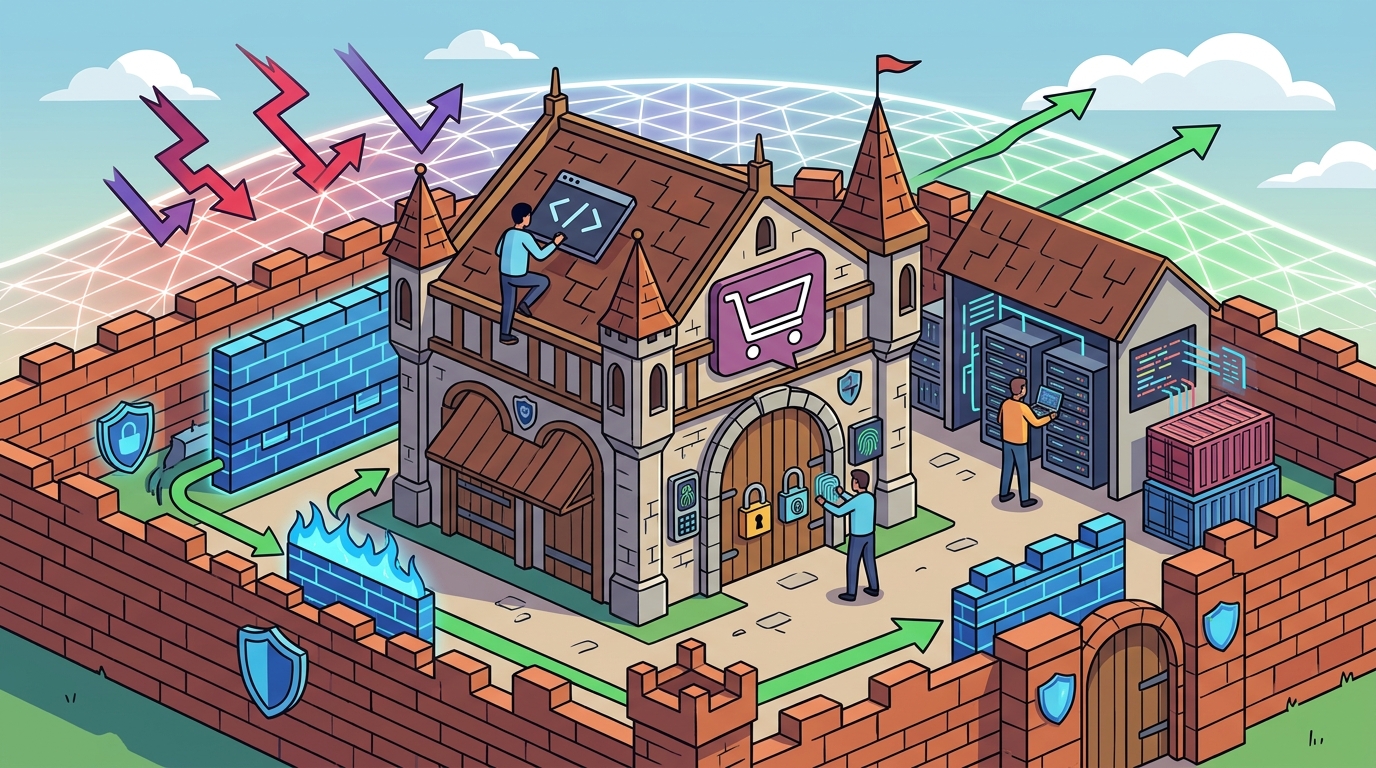
Securing a WooCommerce store requires a layered defense strategy combining strict update management, robust authentication, edge-level filtering, and automated recovery. Računalničar, Sebastijan Bandur s.p., a Maribor-based IT provider, emphasizes that security is not a single tool but a continuous process. This guide covers the four critical pillars of e-commerce protection: core updates, access control, web application firewalls, and backup procedures.
Core and Plugin Updates
Outdated software is the primary entry point for most automated attacks. A WooCommerce store relies on three distinct layers: the WordPress core, the WooCommerce plugin, and third-party extensions. Each layer introduces its own attack surface. Vulnerabilities in any single component can compromise the entire store.
The Update Cadence
WordPress releases minor updates frequently and major updates several times a year. WooCommerce follows a similar rhythm. Security patches are often released within days of a vulnerability disclosure. Delaying these updates leaves your store exposed to known exploits. Automated update systems can mitigate this risk, but they must be monitored to prevent compatibility breaks.
Plugin Hygiene
Third-party plugins are the most common source of compromise. Many plugins are abandoned by their developers, leaving critical security holes unfixed. You must audit your plugin list regularly. Remove any plugin that is not actively maintained or does not have a strong security track record. The OWASP Top 10 highlights injection flaws, which often stem from poorly coded plugins that fail to sanitize user input.
Authentication and 2FA
Authentication is the first line of defense against unauthorized access. Brute force attacks target login pages relentlessly. Attackers use bots to guess credentials at a speed no human can match. Strengthening authentication protocols is non-negotiable for any live store.
Multi-Factor Authentication
Multi-factor authentication (MFA) is a security process that requires users to provide two or more verification factors to gain access. For WooCommerce, this means requiring a secondary code or biometric scan in addition to the password. MFA renders stolen passwords useless. It is the single most effective measure against account takeover.
Password Policies and Rate Limiting
Enforce strong password complexity rules for all admin and customer accounts. Additionally, implement rate limiting on login attempts. If an IP address fails a login attempt multiple times in a short period, lock it out temporarily. This slows down brute force attacks and makes them less effective. Računalničar, Sebastijan Bandur s.p., often integrates these controls during initial security assessments to ensure baseline protection is in place.
Web Application Firewalls
A Web Application Firewall (WAF) is a security device or service that monitors and filters HTTP traffic between a web application and the Internet. Unlike traditional network firewalls, a WAF understands the specific protocols and patterns of web applications. It can detect and block malicious traffic before it reaches your server.
Edge-Level Protection
Modern WAFs operate at the edge of the network. This means threats are blocked before they consume your server resources. This is crucial for mitigating Distributed Denial of Service (DDoS) attacks. By filtering traffic at the edge, you ensure that only legitimate requests reach your WooCommerce application. This preserves performance and availability during attack spikes.
Rule Sets and Customization
Generic WAF rules may not cover every specific vulnerability in your stack. You need to customize rules to match your specific plugins and themes. For example, if you use a specific payment gateway, you may need custom rules to protect its API endpoints. Regularly review WAF logs to identify false positives and tune your rules accordingly. This continuous tuning is essential for maintaining both security and usability.
Backup and Recovery Procedures
Even with perfect security, incidents can happen. A backup and recovery strategy is your final safety net. It ensures that you can restore your store to a known good state after a breach or data loss. Without reliable backups, a successful attack can be catastrophic.
Backup Frequency and Storage
Backups should be performed automatically and frequently. Daily backups of the database and file system are a standard minimum. Store backups off-site and in an encrypted format. This protects them from ransomware and physical disasters. Ensure that you have multiple copies of your backups in different locations.
Recovery Testing
A backup is only as good as your ability to restore it. Regularly test your recovery procedures. Restore a backup to a staging environment and verify that the store functions correctly. This process identifies issues with backup integrity and restores your confidence in the system. Računalničar, Sebastijan Bandur s.p., emphasizes that recovery testing is a critical part of any security audit, as many businesses discover their backups are corrupted only when they need them most.
Key Takeaways
- Keep WordPress core, WooCommerce, and all plugins updated to the latest versions.
- Implement multi-factor authentication for all admin and customer accounts.
- Use a Web Application Firewall to filter malicious traffic at the edge.
- Perform daily, off-site, encrypted backups of your store.
- Regularly test your backup recovery procedures to ensure integrity.
- Audit and remove unused or abandoned plugins to reduce attack surface.
- Monitor WAF logs and tune rules to match your specific application stack.
- Enforce strong password policies and rate limiting on login pages.
Frequently Asked Questions
How often should I update my WooCommerce store?
You should update your store as soon as new versions are available. Security patches are often released quickly in response to new threats. Delaying updates leaves your store vulnerable to known exploits.
Is multi-factor authentication required for customer accounts?
While MFA is critical for admin accounts, it is also recommended for customer accounts, especially for high-value transactions. It adds an extra layer of security against account takeover.
What is the difference between a network firewall and a WAF?
A network firewall filters traffic based on IP addresses and ports. A WAF filters traffic based on the content of HTTP requests, allowing it to detect application-level attacks like SQL injection.
Where should I store my backups?
Store backups off-site and in an encrypted format. This protects them from ransomware and physical disasters. Ensure you have multiple copies in different locations.
How do I test my backup recovery?
Restore a backup to a staging environment and verify that the store functions correctly. This process identifies issues with backup integrity and restores your confidence in the system.
Can a WAF block legitimate traffic?
Yes, if rules are too strict. This is known as a false positive. Regularly review WAF logs and tune your rules to minimize false positives while maintaining security.
What is the OWASP Top 10?
The OWASP Top 10 is a standard awareness document for developers and web application security. It lists the ten most critical security risks to web applications, including injection flaws and broken access control.
Why are abandoned plugins dangerous?
Abandoned plugins are no longer maintained by their developers. This means critical security holes are never fixed, leaving your store vulnerable to known exploits.
Conclusion
Securing a WooCommerce store is an ongoing responsibility. It requires a combination of technical controls and disciplined processes. By implementing strict update management, robust authentication, edge-level filtering, and automated recovery, you can significantly reduce your risk of compromise. Računalničar, Sebastijan Bandur s.p., provides comprehensive security assessments and penetration testing services to help you identify and mitigate these risks. To plan your visit or discuss your security needs, .