

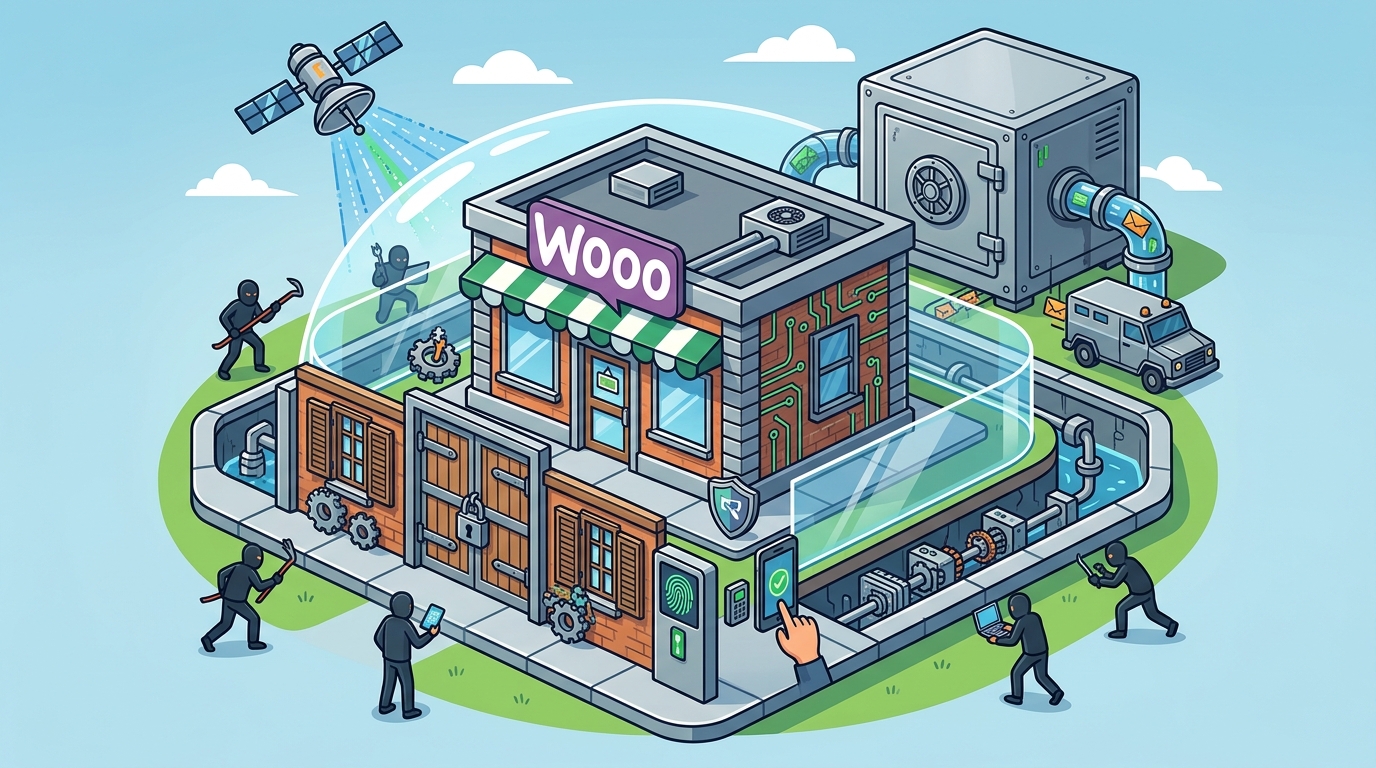
Securing a WooCommerce store requires a layered defense strategy that combines timely updates, strict authentication controls, network-level filtering, and reliable data recovery plans. This guide details the four critical pillars of e-commerce security. It explains how to manage core and plugin updates, enforce multi-factor authentication, deploy web application firewalls, and establish automated backup procedures. Računalničar, Sebastijan Bandur s.p. provides these specialized security services to protect digital assets in Slovenia and beyond.
Managing WordPress and WooCommerce Updates
Outdated software is the primary entry point for most automated attacks. Attackers use bots to scan the internet for known vulnerabilities in specific versions of WordPress, WooCommerce, and their associated plugins. A single unpatched component can compromise the entire store. Regular updates are not optional; they are the baseline requirement for maintaining a secure environment. For additional details, review the Storitve Ra unalni ar.
The Update Hierarchy
Automated vs. Manual Updates
Manual updates require constant vigilance and are prone to human error. Automated update systems can apply patches immediately upon release. However, automation must be configured carefully. A poorly configured auto-update can break a site if a new plugin version is incompatible with the current theme or other extensions. Testing updates in a staging environment before pushing them to production is a best practice for high-traffic stores. For additional details, review the AI integracije in MCP.
At Računalničar, we emphasize that updates are part of a broader maintenance strategy. We monitor release notes for critical security advisories and apply patches within strict timeframes. This approach ensures that known vulnerabilities are closed before attackers can exploit them at scale. For additional details, review the Ra unalni ar Sebastijan.
Authentication Security and Multi-Factor Authentication
Authentication is the first line of defense against unauthorized access. Weak passwords and single-factor login methods are easily bypassed by brute-force attacks and credential stuffing. Multi-factor authentication (MFA) adds a critical layer of security that significantly reduces the risk of account takeover.
Enforcing Strong Password Policies
Password strength is determined by length and complexity. Short, dictionary-based passwords are vulnerable to offline cracking. Enforcing a minimum length of 12 to 16 characters and requiring a mix of character types increases the time required to crack a password. Password managers help users generate and store complex credentials without the burden of memorization.
Multi-Factor Authentication (MFA)
Multi-factor authentication is a security process that requires users to provide two or more verification factors to gain access. These factors typically include something you know (password), something you have (smartphone or hardware token), or something you are (biometrics). For WooCommerce stores, MFA should be mandatory for all administrators, editors, and anyone with access to the wp-admin area.
Brute-force protection is another essential component. Limiting login attempts and implementing CAPTCHA challenges can stop automated bots from guessing passwords. However, MFA remains the most effective countermeasure. Even if a password is compromised, the attacker cannot access the account without the second factor.
Implementing a Web Application Firewall
A Web Application Firewall (WAF) is a security tool that monitors and filters HTTP traffic between a web application and the internet. It acts as a shield, inspecting incoming requests for malicious patterns such as SQL injection, cross-site scripting (XSS), and file inclusion attacks. A WAF provides a layer of protection that complements application-level security.
How a WAF Protects WooCommerce
WooCommerce stores are frequent targets for SQL injection and XSS attacks. These attacks often exploit vulnerabilities in form inputs, search fields, or URL parameters. A WAF analyzes these inputs against a set of rules. If a request matches a known attack signature, the WAF blocks it before it reaches the application. This prevents data theft and site defacement.
Managed vs. Self-Hosted WAFs
At Računalničar, we integrate WAF solutions into our security testing and maintenance services. We configure rules to balance security with usability, ensuring that legitimate customers are not blocked while malicious traffic is stopped. This proactive approach reduces the attack surface and enhances overall store resilience.
Backup and Recovery Procedures
Backups are the final line of defense in any security strategy. No matter how strong your security measures are, incidents can still occur. A reliable backup system ensures that you can restore your store to a known good state after a breach, data corruption, or hardware failure.
Backup Frequency and Scope
Testing Restorations
A backup is only as good as its ability to be restored. Regularly testing restorations in a staging environment verifies that backups are complete and functional. This process identifies issues such as corrupted files or missing database tables before they become critical problems. Automated restoration tests can be scheduled to run monthly or quarterly.
At Računalničar, we design backup strategies that align with business continuity requirements. We ensure that backups are stored securely, often in off-site locations, to protect against physical disasters. We also provide guidance on recovery time objectives (RTOs) and recovery point objectives (RPOs) to minimize downtime and data loss.
Key Takeaways
- Keep WordPress, WooCommerce, and all plugins updated to patch known vulnerabilities.
- Enforce multi-factor authentication for all users with administrative access.
- Deploy a Web Application Firewall to block malicious traffic at the network level.
- Regularly test backup restorations to ensure data integrity and recoverability.
- Use strong, unique passwords and manage them with a password manager.
- Monitor security logs for unusual activity and potential breaches.
- Consider professional security testing to identify hidden vulnerabilities.
Frequently Asked Questions
How often should I update my WooCommerce store?
Is multi-factor authentication mandatory for all users?
MFA is mandatory for administrators and editors. For customers, MFA is optional but recommended for enhanced security. You can enforce MFA for specific user roles using plugins or custom code.
What is the difference between a WAF and a traditional firewall?
A traditional firewall filters traffic based on IP addresses and ports. A WAF inspects the content of HTTP requests for malicious patterns. A WAF provides application-level protection that a traditional firewall cannot offer.
Where should I store my backups?
Store backups in off-site locations, such as cloud storage or a separate server. This protects your data from physical disasters like fire or theft. Ensure that backups are encrypted and access-controlled.
How do I test my backup restorations?
Restore a backup to a staging environment and verify that the site functions correctly. Check that all pages, products, and customer data are present. This process ensures that your backups are complete and usable.
Can a WAF block legitimate customers?
Yes, if configured incorrectly. A WAF may block legitimate traffic if it matches a false positive rule. Regularly review WAF logs and adjust rules to minimize false positives while maintaining security.
What is the role of security testing in store protection?
Security testing, such as penetration testing, identifies vulnerabilities that automated tools may miss. It simulates real-world attacks to find weaknesses in your defenses. Regular testing ensures that your security measures remain effective over time.
How can I protect my store from DDoS attacks?
Use a managed WAF or a CDN with DDoS mitigation capabilities. These services absorb and filter malicious traffic before it reaches your server. They also provide scalability to handle sudden traffic spikes.
Conclusion
Securing a WooCommerce store is an ongoing process that requires attention to updates, authentication, network defense, and data recovery. By implementing these four pillars, you create a robust security posture that protects your business and your customers. Računalničar, Sebastijan Bandur s.p. offers comprehensive security services, including penetration testing and maintenance, to help you maintain a secure and resilient e-commerce platform. To discuss your security needs, .