

OWASP Top 10 Assessment Process for WordPress and WooCommerce Sites
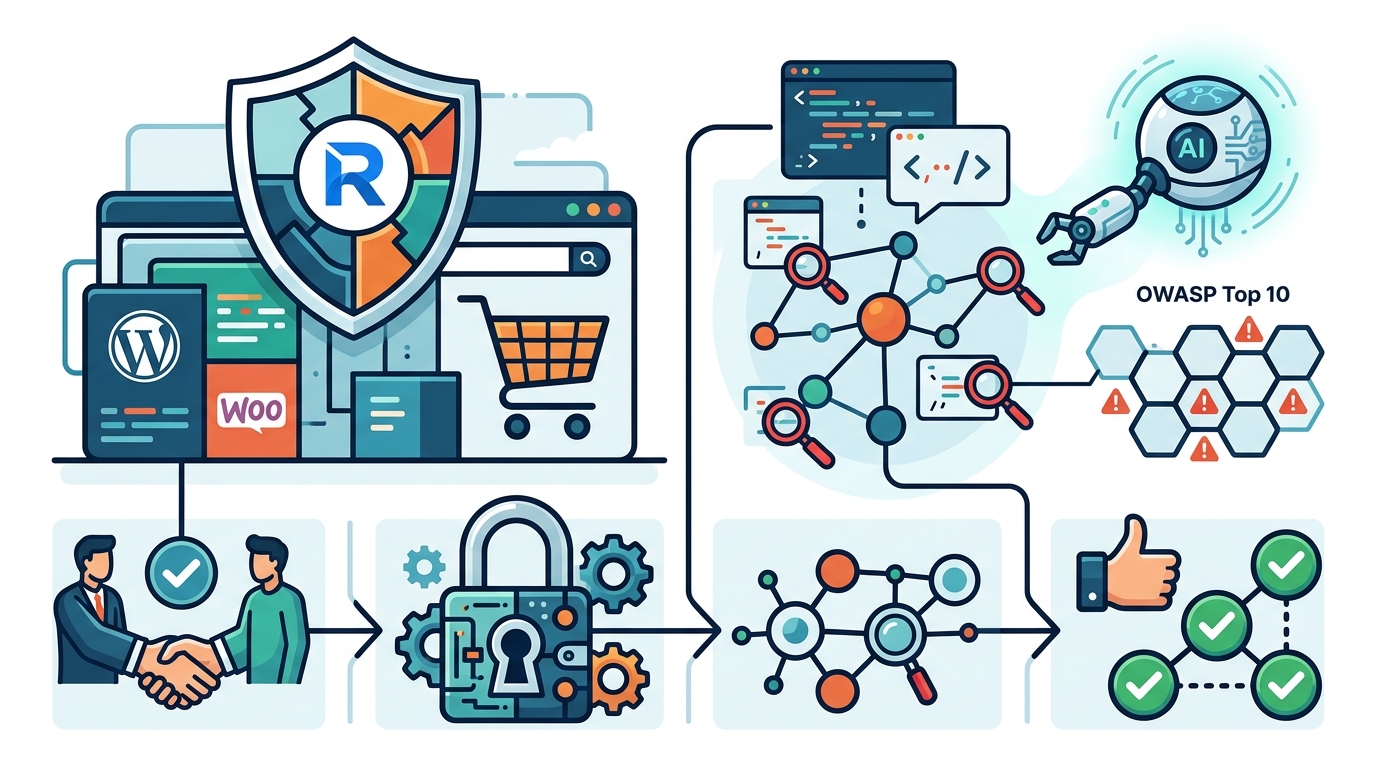
Booking an OWASP Top 10 security assessment for a WordPress or WooCommerce site involves defining a strict scope, signing legal authorization, preparing a safe testing environment, executing agent-orchestrated scans, and validating fixes. This guide outlines the exact workflow used by Računalničar, Sebastijan Bandur s.p. to ensure your e-commerce platform remains secure without disrupting live operations.
Scope Definition
Scope definition is the process of identifying exactly which URLs, APIs, and user roles will be tested. For WordPress and WooCommerce sites, this requires a clear distinction between public-facing storefronts and restricted admin areas. A broad scope that includes the entire domain can lead to accidental disruption, while a narrow scope may miss critical vulnerabilities in payment gateways or user dashboards. For additional details, review the Storitve Ra unalni ar.
Identifying Critical Assets
Start by listing all subdomains and paths that handle sensitive data. This includes the main checkout flow, the customer account area, and the WordPress admin panel. You must also identify any third-party plugins that process payments or manage user data. Each of these assets should be assigned a priority level based on business impact. For additional details, review the Ra unalni ar Sebastijan.
Defining User Roles
Security testing requires access to different permission levels. You need to provide test accounts for administrators, shop managers, and standard customers. This allows the tester to verify that privilege escalation is impossible and that data isolation between users is maintained. Without these accounts, the assessment can only cover public-facing vulnerabilities.
Rules of Engagement
Rules of engagement are the legal and operational boundaries that govern how a penetration test is conducted. In Slovenia, conducting a security assessment without written authorization is a criminal offense under the Criminal Code. The rules of engagement document formalizes this permission and defines the acceptable methods of testing.
Legal Authorization
A signed authorization letter is mandatory before any scanning begins. This document must specify the exact IP addresses and domains covered by the permission. It also outlines the time window during which testing is allowed. Without this paper trail, any interaction with your server could be interpreted as an illegal intrusion attempt.
Operational Boundaries
Operational rules define what the tester cannot do. For example, they may be prohibited from performing denial-of-service attacks or from modifying production data. They may also be restricted from testing during peak traffic hours. These boundaries protect your business continuity while still allowing for a thorough security evaluation.
Testing Environment Preparation
Testing environment preparation is the setup of a safe, isolated space where security tools can run without risking live data. While some assessments can be performed on production systems, a dedicated staging environment is strongly recommended for deep-dive testing. This ensures that any bugs found do not affect real customers or transactions.
Staging vs. Production
A staging environment should mirror your production site as closely as possible. This includes the same WordPress version, the same plugins, and a representative sample of data. Testing on staging allows the tester to use aggressive tools like SQL injection scripts without fear of corrupting your live database. If you do not have a staging environment, the assessment will be limited to non-destructive checks on production.
Backup and Monitoring
Before any test begins, a full backup of the database and file system must be created. This backup serves as a safety net in case a test script causes unexpected issues. Additionally, monitoring tools should be configured to alert you if server resources spike during the assessment. This helps you distinguish between normal test activity and a genuine system failure.
WordPress and WooCommerce Specific Coverage
WordPress and WooCommerce specific coverage refers to the targeted checks for vulnerabilities unique to these platforms. Standard web application testing is not enough. You need to verify that your specific combination of themes, plugins, and configurations does not expose known weaknesses. This section details the specific areas that are examined during the assessment.
Plugin and Theme Vulnerabilities
WooCommerce Payment and Data Flows
WooCommerce introduces complex data flows for payments, shipping, and order management. The assessment focuses on these flows to detect issues like broken access control and insecure direct object references. It also checks for vulnerabilities in the checkout process, such as the ability to manipulate order totals or bypass payment verification. These checks are critical for protecting your revenue and customer trust.
Configuration and Hardening
Default WordPress configurations are often too permissive for a production environment. The assessment reviews your server configuration, file permissions, and security headers. It checks for the presence of sensitive files like wp-config.php and ensures that directory listing is disabled. It also verifies that your site is using HTTPS correctly and that SSL certificates are valid.
Remediation and Retesting
Remediation and retesting is the cycle of fixing identified vulnerabilities and verifying that the fixes are effective. A security assessment is not complete until all critical and high-severity issues have been resolved and confirmed. This phase ensures that your site is not just scanned, but actually secured.
Fixing Critical Issues
After the initial report, your development team will work to fix the identified vulnerabilities. This may involve updating plugins, changing code, or adjusting server configurations. It is important to prioritize fixes based on severity and business impact. Critical issues, such as remote code execution, should be fixed immediately.
Verifying the Fixes
Comparison of Testing Approaches
| Approach | Knowledge Level | Best For | Duration |
|---|---|---|---|
| Black Box | None | Simulating external attackers | Longest |
| Gray Box | Basic (User Accounts) | Balance of coverage and time | Moderate |
| White Box | Full (Source Code) | Critical applications | Shortest |
Key Takeaways
- Written authorization is a legal requirement in Slovenia for any security testing.
- Scope definition must include specific URLs, APIs, and user roles.
- A staging environment is recommended for deep-dive testing to protect live data.
- WooCommerce assessments must focus on payment flows and order manipulation.
- Outdated plugins are the most common source of WordPress vulnerabilities.
- Retesting is essential to confirm that fixes are effective.
- Agent-orchestrated testing allows for faster pattern recognition and regression checks.
- The final report should include CVSS scores and remediation steps.
Frequently Asked Questions
How long does an OWASP Top 10 assessment take?
The duration depends on the scope and the type of testing. A standard gray box assessment for a typical WooCommerce site usually takes between three and five business days. This includes the initial scan, manual verification, and report writing.
Do I need to take my site offline during the test?
No, you do not need to take your site offline. The testing is designed to be non-disruptive. However, you should avoid performing major updates or migrations during the testing window to ensure consistent results.
What is the difference between a vulnerability scan and a penetration test?
A vulnerability scan is an automated check for known issues. A penetration test is a manual, in-depth attempt to exploit those issues. A penetration test provides a much higher level of assurance and is required for most compliance frameworks.
Can you test my site if I do not have a staging environment?
Yes, but the testing will be limited to non-destructive checks. We will not run aggressive scripts that could modify your data. This approach is safer but may miss some deep logic vulnerabilities.
What happens if you find a critical vulnerability?
We will immediately notify you and provide a detailed explanation of the risk. We will also provide a recommended fix. We will not exploit the vulnerability further than necessary to prove its existence.
Is the assessment compliant with GDPR?
Yes. We handle all test data with strict confidentiality. We do not store personal data from your site longer than necessary, and we delete all test artifacts after the project is complete.
Do you provide a certificate of completion?
We provide a detailed security report that serves as proof of assessment. This report can be used for compliance audits, insurance claims, and due diligence processes.
How often should I schedule an assessment?
We recommend an annual assessment for most sites. However, if you make significant changes to your platform, such as adding a new payment gateway, you should schedule an interim assessment.
Conclusion
Scheduling an OWASP Top 10 assessment for your WordPress or WooCommerce site is a structured process that prioritizes legal compliance, operational safety, and thorough technical coverage. By defining a clear scope, establishing strict rules of engagement, and preparing a safe testing environment, you ensure that the assessment provides actionable insights without risking your business. The specific focus on WooCommerce payment flows and plugin vulnerabilities ensures that your e-commerce platform is protected against the most common threats. Računalničar, Sebastijan Bandur s.p. offers this comprehensive service, combining traditional security tools with AI-orchestrated testing for faster and more reliable results. To begin your assessment, start your pentest brief today.